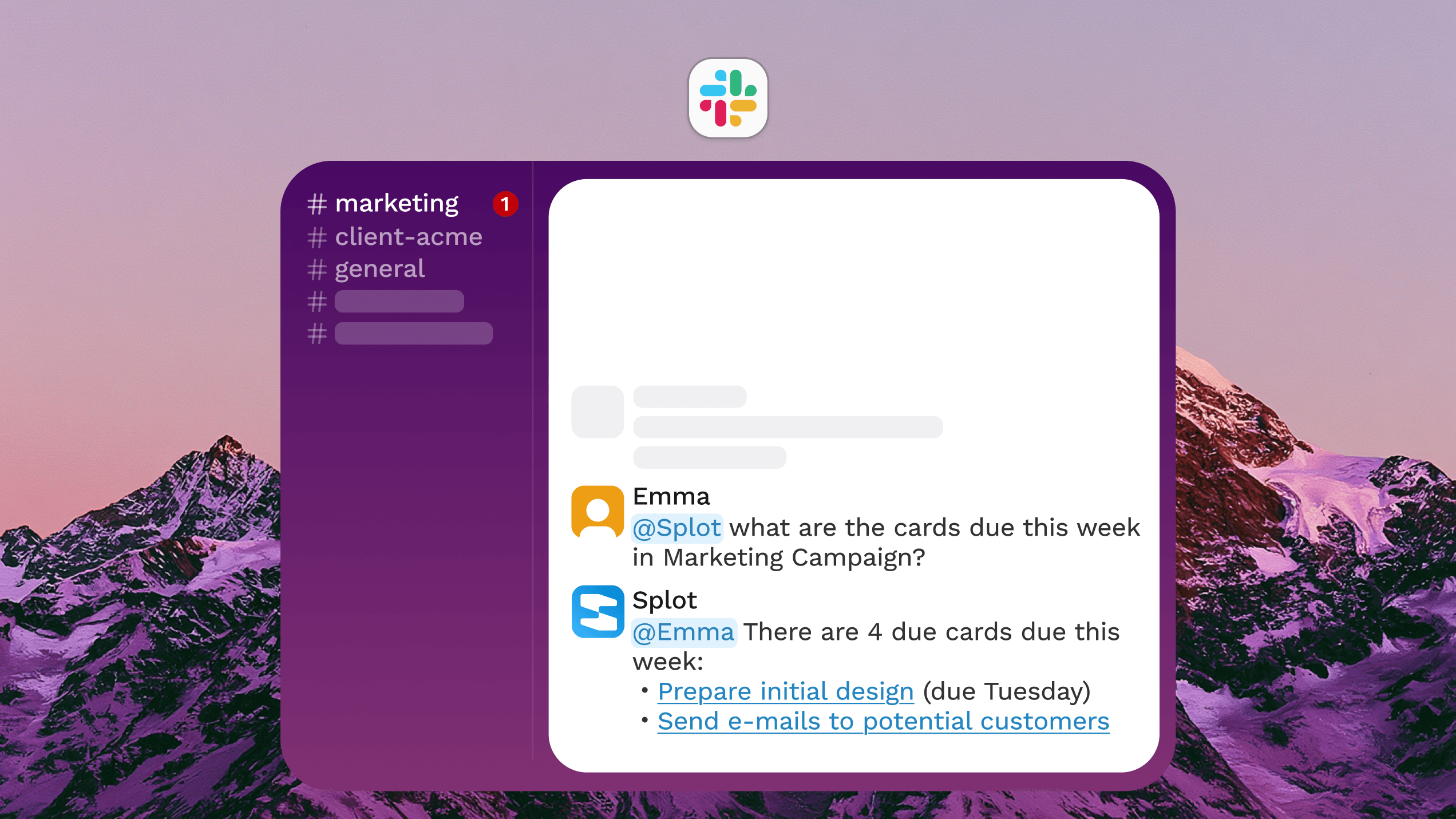
Want to create a Trello card from Slack without copying messages by hand? The fastest option is Trello's Slack app. The best option for repeatable workflows is usually a Slack shortcut, automation tool, or AI agent that can turn a message or thread into a clean Trello card with the right context.
This 2026 guide covers five ways to create a Trello card from Slack, from Trello's built-in Slack app to no-code automation tools and Splot's Slack AI Agent. The best choice depends on whether you want a manual action, a structured intake form, a rule-based automation, or an assistant that understands the Slack conversation before creating the card.
Best ways to create a Trello card from Slack
| Method | Best for | Setup effort | Automation level |
|---|---|---|---|
| Trello app for Slack | Simple manual card creation | Low | Manual |
| Slack Workflow Builder | Structured intake from Slack | Medium | Semi-automated |
| Zapier, Make, or similar tools | Rule-based cross-app automation | Medium | Automated |
| Splot AI Agent | Context-aware card creation from Slack | Low to medium | AI-assisted |
| Custom Slack and Trello API integration | Highly specific internal workflows | High | Fully custom |
1. Use the Trello app for Slack
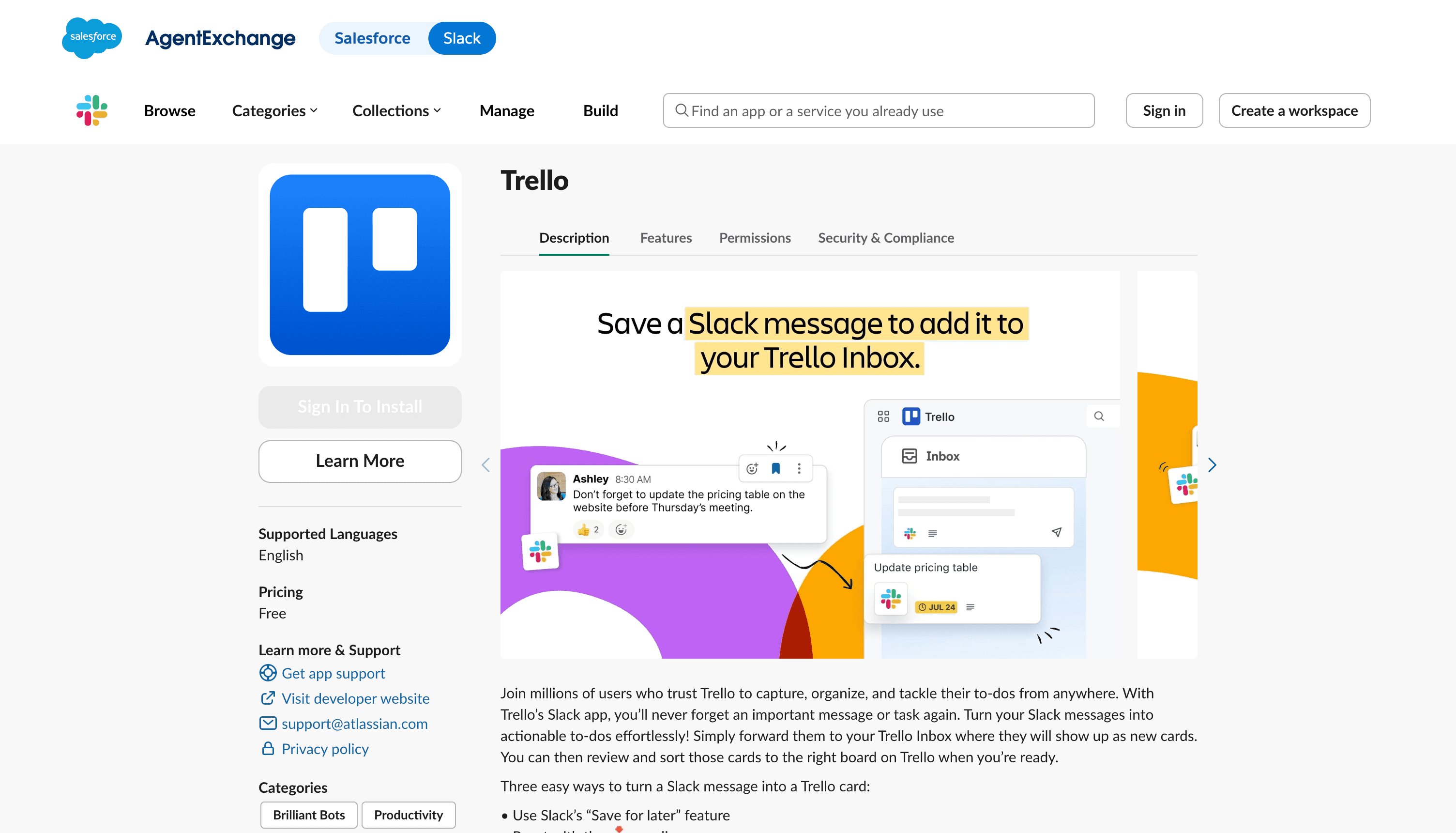
The simplest way to create a Trello card from Slack is to connect Trello's app for Slack. This is a good fit when people only need to send the occasional Slack message to a Trello board.
In a typical setup, you connect your Trello workspace to Slack, choose the board or list you want to work with, and use Slack message actions or slash commands to create cards. The card can include the message text, and the Slack conversation remains nearby if someone needs extra context.
This method works well when:
- Card creation should stay manual.
- Your team already knows which board and list should receive the task.
- You do not need complex rules, summaries, labels, or assignee logic.
The downside is that someone still has to decide that a message should become a card. If your team regularly says things like "can someone add this to Trello?", a manual Slack app can help, but it will not remove the habit entirely.
2. Build a Slack Workflow Builder flow
Slack Workflow Builder is useful when you want a more structured request flow. Instead of converting any message into a card, you can create a Slack shortcut or form that asks for the task title, description, priority, due date, or board.
This approach gives you cleaner Trello cards because the person submitting the request has to fill in the important fields. For example, a product team might create a "Send to Trello" workflow with fields for customer name, issue summary, impact, and link to the original Slack thread.
This method works well when:
- You want consistent card formatting.
- The workflow starts from a deliberate request, not passive monitoring.
- Your team can agree on a few required fields.
The tradeoff is friction. Workflow forms are more organized than free-form Slack messages, but they ask people to stop and structure the request. That is fine for formal intake, less ideal for fast-moving discussions.
3. Use Zapier, Make, or another no-code automation tool
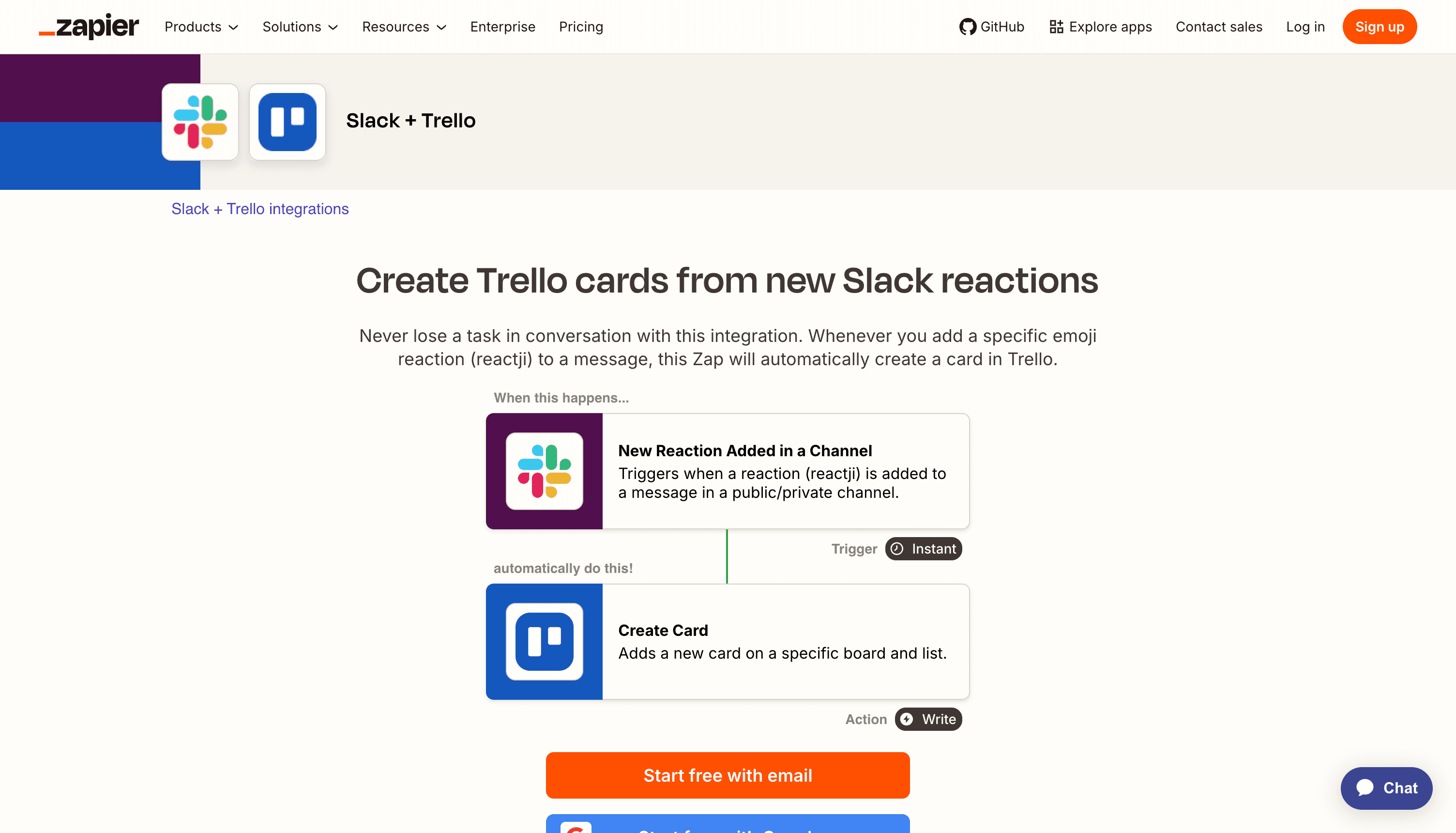
No-code automation tools can create a Trello card from Slack based on triggers. For example, you can create a card when someone posts in a specific channel, reacts with a specific emoji, mentions a keyword, or submits a Slack form. Tools like Zapier's Slack and Trello integration and Make's Trello integrations are common choices for this.
A common setup looks like this:
- Trigger: Someone adds a specific emoji reaction to a Slack message.
- Filter: Only continue if the message is in a project channel.
- Action: Create a Trello card in the right board and list.
- Optional action: Reply in the Slack thread with the Trello card link.
This is often the best middle ground for teams that want automation without writing code. Emoji-triggered workflows are especially practical because they let teammates mark a message as actionable without interrupting the conversation.
This method works well when:
- Your rules are predictable.
- You want to connect more than Slack and Trello.
- You need basic filters, field mapping, and follow-up messages.
The limitation is context. Rule-based tools are good at "if this, then that." They are less good at deciding what the card should be called, which details matter, whether the message is already handled, or whether it belongs on a different board.
4. Use Splot AI Agent to create Trello cards from Slack
Splot's Slack AI Agent is useful when the Slack message needs interpretation before it becomes a Trello card. Instead of forcing every request into a rigid form, your team can ask the agent in Slack to turn a discussion into a Trello task.
For example, someone could write:
Create a Trello card from this thread for the onboarding bug, include the customer impact, and put it in the product backlog.
The agent can use the Slack context, understand the request, and create a more useful card than a raw message copy. That matters when the original Slack conversation includes back-and-forth, partial decisions, links, screenshots, or follow-up comments.
Splot is a strong fit when:
- You want to keep the workflow inside Slack.
- The card should be summarized, not copied verbatim.
- You want Slack, Trello, and other business tool integrations to work together.
- Your team wants an assistant that can act on context, not just trigger on rules.
This is especially helpful for teams that already use Slack as the place where work is discussed, but Trello as the place where work is tracked. Splot can reduce the manual step between "we should do this" and "this is now on the board."
5. Build a custom Slack and Trello API integration
If your workflow is highly specific, a custom integration may be worth it. You can use the Slack API documentation to listen for message events, shortcuts, or slash commands, then use the Trello REST API to create cards, assign members, set due dates, add labels, and attach links.
A custom integration gives you the most control. You can map Slack channels to Trello boards, enforce internal naming conventions, check permissions, enrich cards with data from other systems, and add logging for auditability.
This method works well when:
- You have engineering time available.
- The workflow is core to your operations.
- Off-the-shelf automation tools cannot model your rules.
- You need strict permissions, compliance, or internal data handling.
The cost is maintenance. APIs change, tokens expire, edge cases appear, and someone has to own the integration over time. For most teams, it is worth trying a built-in app, no-code automation, or an AI agent before building from scratch.
What should a Slack-to-Trello card include?
No matter which method you choose, a good Slack-to-Trello workflow should create cards that are useful after the conversation moves on. At minimum, include:
- A clear card title.
- A short description of the requested work.
- A link back to the original Slack message or thread.
- The requester or owner, if known.
- A due date or priority only when it is actually clear.
- Relevant labels, board, and list.
Avoid dumping an entire Slack thread into the card description unless the full context is necessary. A concise summary plus a link back to Slack is usually easier to scan.
Which Slack to Trello method should you choose?
Use Trello's Slack app if you only need a quick manual way to send messages to Trello.
Use Slack Workflow Builder if you want structured intake and consistent fields.
Use Zapier, Make, or a similar automation tool if your Slack-to-Trello rules are predictable and you want repeatable automation.
Use Splot AI Agent if you want to create Trello cards from Slack with more context, cleaner summaries, and less manual formatting.
Use a custom integration if the workflow is business-critical and your requirements are too specific for standard tools.
Final thoughts
The easiest way to create a Trello card from Slack is not always the best long-term option. Manual tools are fast to set up, form-based workflows keep requests tidy, automation platforms handle repeatable rules, and AI agents help when the message needs judgment before it becomes a task.
If your team already makes decisions in Slack and tracks execution in Trello, Splot can help close the gap. You can turn Slack conversations into actionable Trello cards without making teammates copy, paste, summarize, and reformat the same work twice.